The reason your local SEO reports might be lying about your actual Texas traffic
The reason your local SEO reports might be lying about your actual Texas traffic
You open your monthly marketing report. It’s a sea of green. Your agency has provided a “Geo-Grid” showing your business sitting at #1 for your primary keywords across Fort Worth, Arlington, and even into the Mid-Cities. On paper, you are dominating the market. But then you look at your desk. The phone isn’t ringing. Your CRM isn’t showing a spike in new leads. The revenue numbers for the month are flat, or worse, dipping.
As a fractional SEO consultant working with businesses across the Lone Star State, I see this disconnect every single week. There is a massive gap between what a “ranking report” says and what your bank account reflects. If you feel like your local SEO reports are lying to you, I have some news: they probably are. Not necessarily out of malice, but because standard reporting often ignores the technical nuances of the Texas search landscape and the way Google actually attributes traffic in 2026.
In this deep dive, we’re going to pull back the curtain on why your google business profile seo might look great on a PDF but fail in reality, and how you can start tracking the metrics that actually lead to ROI.
Section 1: The “Green Grid” Illusion
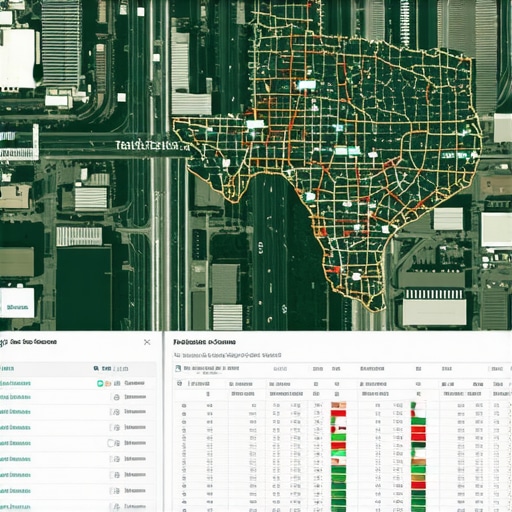
If you’ve hired a local SEO agency recently, you’ve likely seen a Geo-Grid. It’s a map of your service area covered in a grid of dots, color-coded from green (#1-3 ranking) to red (not ranking). While these tools are great for a snapshot of visibility, they are often the biggest source of “reporting lies.”
The problem is that a ranking in a “field” or an unpopulated area of Tarrant County doesn’t equal profit. You might be ranking #1 in a residential area where no one is actually searching for your service at 2:00 PM on a Tuesday. Conversely, you might be “red” in the high-intent business districts where your actual customers are located. Many agencies use these grids to show “progress” by picking low-competition areas to track, ignoring the high-value “money” zones.
Furthermore, research into the Texas market – specifically recent case studies out of Katy, TX – shows that while profile completeness and accurate NAP (Name, Address, Phone) data are the baseline, they don’t guarantee conversion. You can be #1 on a grid and still have a profile that looks untrustworthy or lacks the engagement signals needed to make a Texan click “Call.” To truly understand your standing, you need a google business profile audit tool that looks beyond just the grid and examines the health of your profile’s engagement.
For more on how to move beyond basic visibility, check out our guide on Fort Worth SEO Strategy: Boost Local Search & Rankings for 2025.
Section 2: The Attribution Gap – Why GA4 Calls Your GBP Traffic “Direct”
This is the most common technical failure I see in Texas local SEO. You’re getting traffic from your Google Business Profile (GBP), but your Google Analytics 4 (GA4) account is telling you that traffic is “Direct” or “Organic Search.”
When a user clicks the “Website” button on your Google Maps listing, Google doesn’t automatically tell GA4, “Hey, this came from the Map Pack.” Without structured UTM parameters, GA4 often loses the “referral” data. If your reports show a massive spike in “Direct” traffic but zero growth in “Local SEO” traffic, your reporting is lying about the source of your leads.
To fix this, you must implement a “Multi-Surface Attribution Framework.” This involves adding a specific tracking code to your GBP website link, such as: ?utm_source=google&utm_medium=organic&utm_campaign=gbp_listing. Only then can you see which phone calls and form fills actually originated from your efforts to rank google business profile listings versus your standard website SEO.
Without this distinction, you might be firing your SEO agency for “no results” when, in fact, they are driving 40% of your leads – they just didn’t know how to track them. If you want to see how your profile actually measures up, I recommend using a dedicated rank google business profile tool that integrates with attribution data.
Section 3: The Texas Proximity Trap & Service Area Businesses
Texas is big. The Dallas-Fort Worth metroplex is effectively a small country. Google knows this, and its “Proximity Filter” is more aggressive here than almost anywhere else. This creates what I call the “Proximity Trap.”
For Service Area Businesses (SABs) – like plumbers, roofers, or mobile detailers who don’t have a physical storefront – Google often “ghosts” your profile if you are too far from your registered address. A report might show you ranking well in Dallas, but if your business is physically registered in a home office in Fort Worth, you are likely suffering from the proximity glitch. Google prefers to show businesses that are physically closest to the searcher, regardless of how “optimized” your profile is.
This is why a static report is a lie. A report generated from a server in California will show one thing, while a mom searching for a “plumber near me” in Keller will see something entirely different. You need to understand the proximity glitch that keeps your Fort Worth shop hidden from neighbors to realize why your rankings fluctuate so wildly across the DFW area.
Section 4: Review Velocity vs. Review Count
I often hear business owners say, “I have 500 reviews and my competitor has 100, why are they outranking me?” This is where the “Review Count” lie comes in. Standard reports often track your total number of reviews, but Google’s algorithm in 2026 cares much more about Review Velocity – the frequency and consistency of new reviews.
Referencing research by industry experts like Dennis Yu, audits consistently find that “low review velocity is hurting businesses compared to competitors.” If you got 400 reviews in 2022 and only 2 this month, Google views your business as potentially stagnant or “less relevant” than a competitor who is getting 5 reviews every single week.
A report that simply shows your total review count is hiding the truth: your “freshness” score is tanking. This is a primary reason why your business profile is stuck on page two despite having the most reviews. You need a consistent pipeline of new, local feedback to maintain your position in the Map Pack.
Section 5: The “Zero-Click” Reality in 2026
We have entered the era of the “Zero-Click” search. With AI Overviews and the expansion of the Google Maps interface, users no longer need to click through to your website to convert. They find your phone number, check your hours, read your latest reviews, and click “Call” or “Directions” all without ever visiting your site.
If your local SEO report focuses heavily on “Website Clicks” or “Organic Sessions,” it is fundamentally lying about your reach. In 2026, the real “Texas traffic” happens on the search results page itself. You need to be tracking “Engagement Signals” – how many people asked for directions from Arlington to your shop? How many people clicked the “Call” button on a Saturday morning?
Using specialized local seo software is the only way to aggregate these “hidden” conversions. If you aren’t measuring these, you are missing the most important part of your ROI. For a deeper look at this trend, read Why Zero-Click Searches Are Killing Your 2026 Fort Worth SEO.
Section 6: How to Audit Your Own Report (The Truth Checklist)
Don’t take your agency’s word for it. Use this 5-step checklist to verify if your local SEO data is accurate or if you’re being fed vanity metrics:
- Check for UTM Tags: Open your Google Business Profile and click “Edit Profile.” Is your website link a clean URL, or does it have UTM tracking parameters? If there are no UTMs, your GA4 data is inaccurate.
- Compare GBP “Calls” to CRM: Look at the “Insights” tab in your GBP dashboard. Compare the number of calls Google says it sent you to the actual number of new leads in your CRM. If there is a massive discrepancy, you have a tracking or attribution problem.
- Analyze Review Velocity: Don’t look at the total. Look at how many reviews you received in the last 30 days versus your top three competitors. If your velocity is lower, your ranking is at risk.
- Simulate Mobile Proximity: Use a tool that allows you to “drop a pin” in a specific neighborhood in Fort Worth or Dallas and search from that exact location. Does your business show up? If not, your “national” rank tracker is lying to you.
- Audit Engagement Signals: Are you seeing “Driving Directions” requests? In a spread-out area like North Texas, directions are a high-intent signal that often leads to a sale.
If your current setup fails this checklist, it’s time for 3 Local Data Fixes for a Failing Fort Worth GMB Pin [2026].
The Path to Real ROI
The “Texas Local SEO Truth” is that rankings are just the beginning. A #1 ranking that doesn’t convert is just an expensive ego boost. To win in the competitive DFW market, you need reports that tell the whole story – from the first “Zero-Click” impression to the final CRM conversion.
Are your reports showing green circles while your phone stays silent? It’s time for a reality check. I’m Zoe James, and I help Texas small businesses stop guessing and start growing through full-cycle, transparent reporting. Stop letting “vanity metrics” dictate your marketing budget.
Ready to see the real data? Contact Us today for a “Full-Cycle Reporting Audit” and let’s find out where your Texas leads are actually coming from.